Current revision?
Verify addenda and superseded sheets before measuring.
Record count, length, area, and cubic-yard quantities from a drawing. Keep the plan reference, location, visible formula, waste factor, and assumption beside each result, then export CSV or print a review copy.
No email gate · No account · No plan upload · No entered value sent to Takeoff
Local dimensional worksheet
Yellow cells are inputs. Dimensions use feet; volume rows convert cubic feet to cubic yards. Results recalculate in this tab and are never uploaded or stored.
| # | Plan ref | Location | Scope description | Formula | Count / multiplier | Length FT | Width FT | Height / depth FT | Waste % | Measured qty | Order qty | Assumptions | Action |
|---|
Formula map: Count = count. Length = count × length. Area = count × length × width. Volume = count × length × width × height/depth ÷ 27. Waste is applied after measurement and totals stay separated by unit.
Waste-adjusted totals by unit
Units are never added together. Supplier packaging, stock lengths, yields, pricing, labor, equipment, taxes, and commercial terms belong in a reviewed estimate after the measured scope is checked.
Planning aid only. This sheet does not read plans, detect scope, correct perspective or drawing errors, select assemblies, specify products, establish code compliance, or verify field conditions. Confirm current drawings, scale, dimensions, inclusions, exclusions, material factors, and procurement requirements before bidding or building.
Worked concrete example
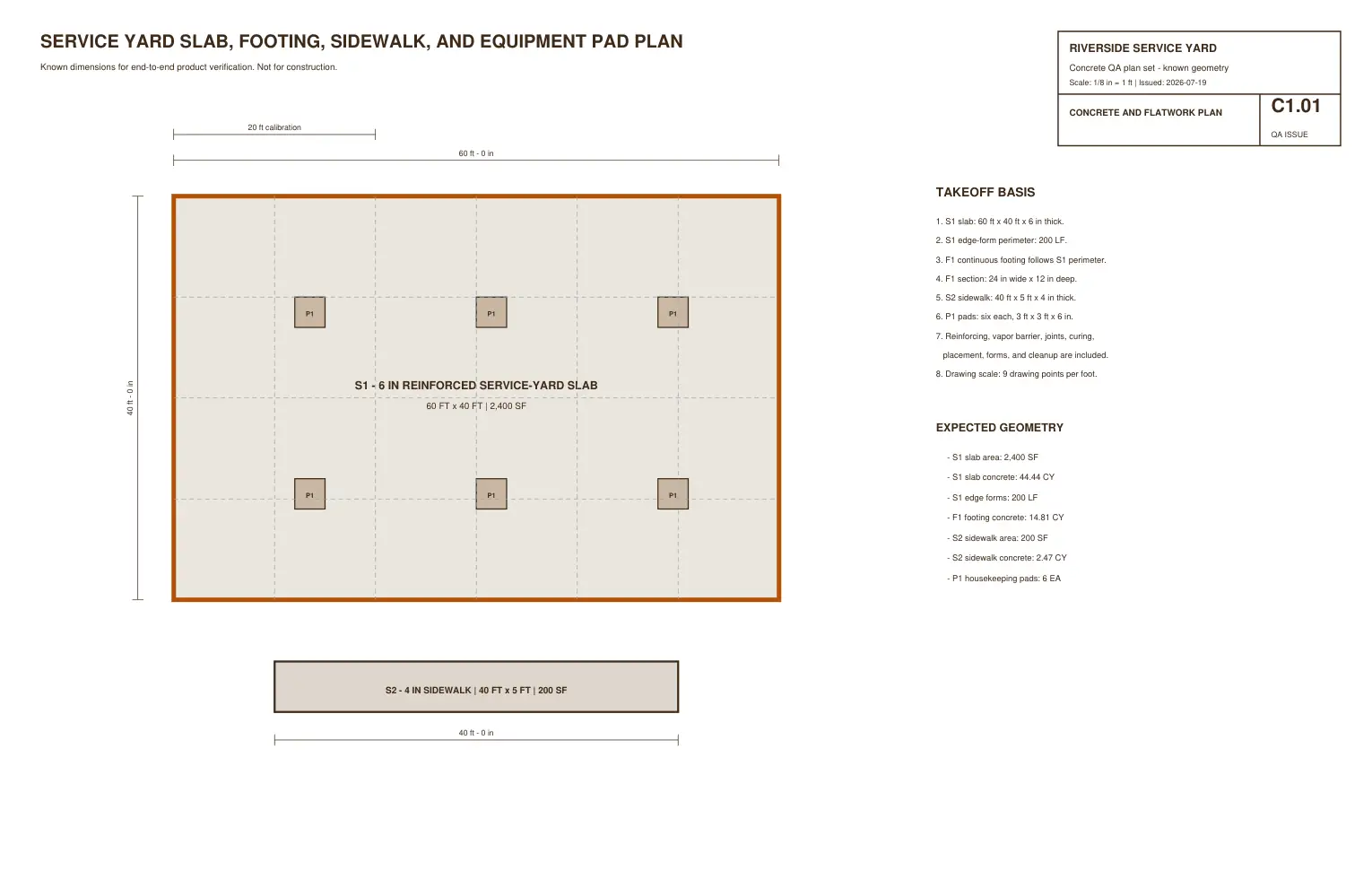
The default rows use the Riverside service-yard practice plan to show count, length, area, and volume formulas in one sheet. They are a starting example, not a complete concrete estimate.
The 60-by-40-foot slab at 0.5-foot depth produces 44.4444 CY before the example 7% material factor and 47.5555 CY after it. The free two-sheet practice plan includes all seven concrete answers.
A reviewable takeoff trail
Record sheet, revision, scale, and location before measuring.
Use count, length, area, or volume without mixing unlike units.
Keep count and every dimension visible instead of pasting only the answer.
Apply waste after the measured quantity and label the assumption.
Check scope, exclusions, packaging, pricing, and field conditions before bid use.
Before the number leaves your desk
Verify addenda and superseded sheets before measuring.
Use a stated dimension and confirm X/Y behavior when source geometry may be distorted.
Separate included, excluded, alternate, allowance, and uncertain work.
Show gross measure, explicit deductions, and net quantity instead of hiding the subtraction.
Waste, laps, cuts, compaction, yield, and stock rounding are not interchangeable.
Mark the dimensions, conditions, and products that still require verification.
When the free sheet stops being enough
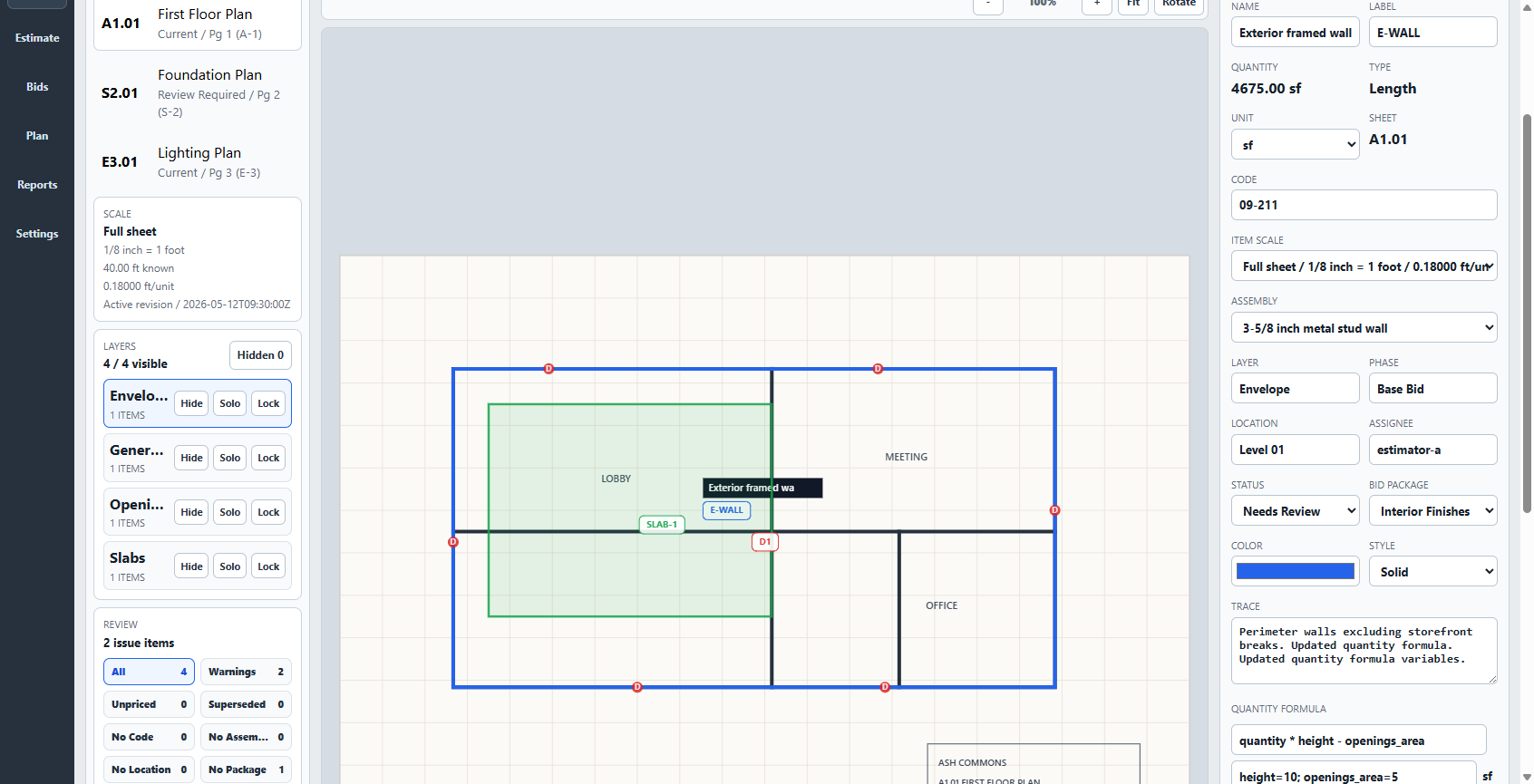
The free sheet is useful when dimensions are already known and the quantity list is small. Takeoff Field Tools is for the full Windows workflow: calibrate a PDF or image, measure geometry, review quantities against the source, carry them into visible estimating logic, communicate the scope, and preserve reviewed work for later projects.
Construction takeoff and estimating software for Windows. $79 once. No subscription. Every estimate should make the next one better.
Watch the actual product workflow or read every buying detail.
Straight answers before you use it
Yes. The browser quantity sheet is free, requires no account or email, and can export CSV or print a review copy.
No. You enter dimensions and counts you have already established from the current drawings or field information. Takeoff Field Tools is the separate Windows product for calibrated plan measurement; you can also compare current free plan-measurement options with Takeoff's one-time license.
It keeps count, linear feet, square feet, and cubic yards separate. Volume rows convert cubic feet to cubic yards.
No. Worksheet calculations happen in the current browser tab. Export CSV or print before closing or reloading if you want to keep the work.
Yes. Each row shows the measured quantity, waste percentage, and waste-adjusted order quantity separately.
No. It organizes quantities but does not select scope, assemblies, products, labor, equipment, supplier packaging, unit costs, taxes, or commercial terms.
Use Takeoff Field Tools when you need calibrated plan geometry, source-linked quantities, connected estimate logic, clear scope communication, local project files, and reviewed estimating knowledge that can improve later projects.