One named user on up to two Windows PCs, with all v1 updates included.
Current Takeoff offer Buildxact alternative · Takeoff and estimating
Need a Buildxact alternative
for takeoff and estimating?
Construction takeoff and estimating software for Windows. $79 once. No subscription. Takeoff is a focused option for an owner-estimator or small contractor who needs reviewable plan measurement, reusable estimating logic, and clear bid outputs—but does not need a broader cloud construction-management system.
Not a full Buildxact replacement · One named user · Two Windows PCs · 30-day guarantee
$79 onceNo recurring seat fee
WindowsLocal project storage
Offline coreWork after installation
ReusableKeep estimating knowledge
Current official facts
The overlap is preconstruction. The operating models are different.
Buildxact combines cloud takeoff and estimating with lead management, dealer connections, approvals, purchasing, and higher-tier project operations. Takeoff is a smaller local Windows product centered on one estimator's plan-to-bid workflow.
The US pricing page also displayed $169 per month billed annually at $2,030 with a 12-month commitment on July 28, 2026.
Official Buildxact pricingThe US pricing page also displayed $339 per month billed annually at $4,070 with a 12-month commitment on the same check date.
Official Buildxact pricingBuildxact describes its estimating system as a cloud-based solution. Takeoff stores projects locally and keeps its core takeoff and estimating workflow available offline after installation.
Takeoff offline detailsBuildxact goes beyond takeoff with unlimited users on paid plans, live dealer pricing, digital approvals, purchasing, AI options, and Pro-level scheduling, job management, and a mobile app.
Official Buildxact featuresKeep the marked source, quantity, estimate logic, bid version, scope, and reusable setup together so every estimate should make the next one better.
Watch the Takeoff workflowBuildxact also listed a $0 Go plan with five complimentary credits for AI estimating and professional proposals. Its published Go feature list did not include digital takeoff.
Provider facts and US prices were checked July 28, 2026. Products, features, prices, discounts, credits, add-ons, taxes, and terms can change. Takeoff Field Tools is not affiliated with or endorsed by Buildxact. Buildxact is a trademark of its owner.
See the actual product
The plan, quantities, estimate, and handoff stay connected.
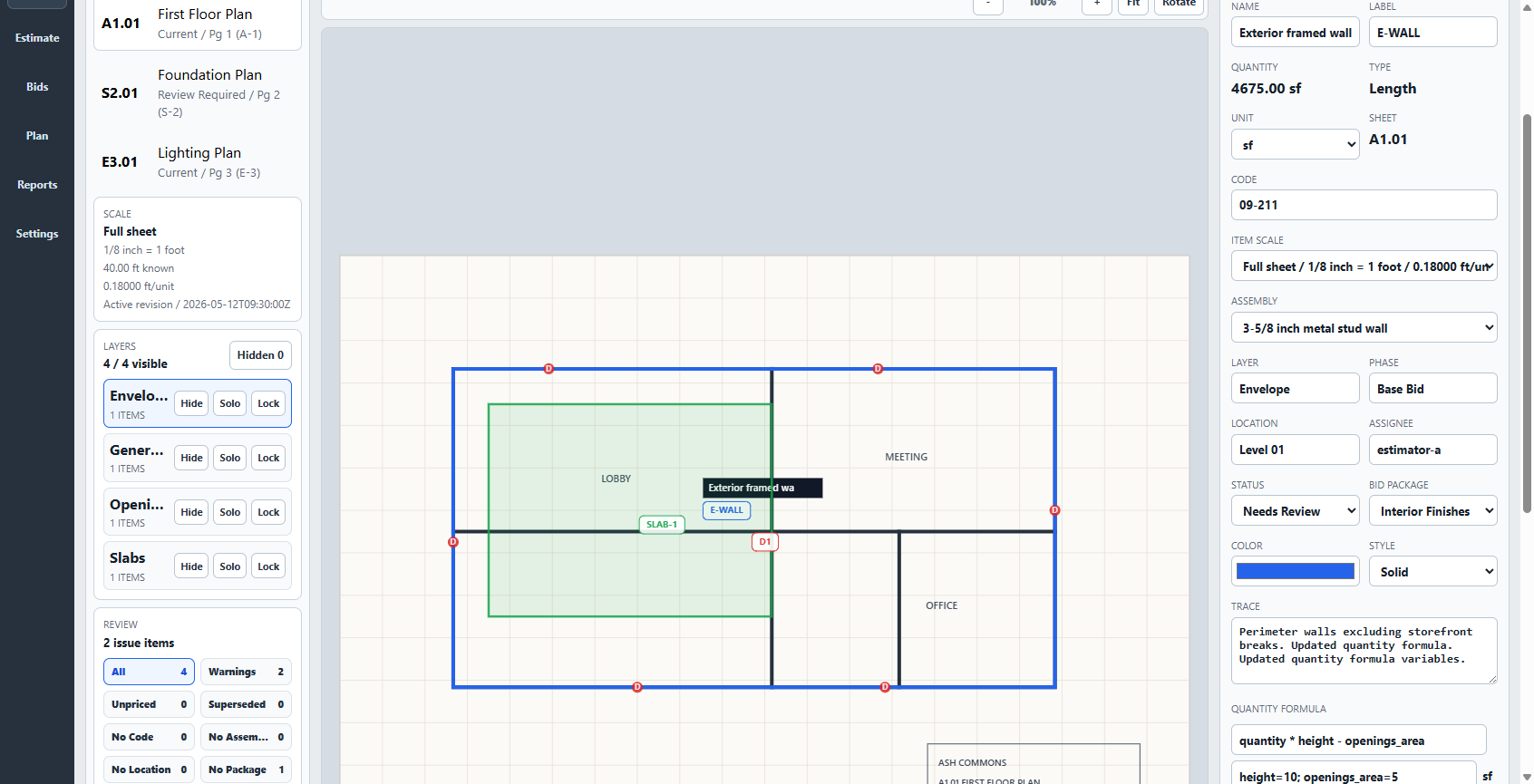
Calibrate the drawing, mark a count, length, or area, carry the quantity into a priced item or assembly, review the estimate, save a bid version, and export a customer-facing report. Useful assemblies, costs, formulas, and scope can remain available for the next project.
- Measure
- Count, length, area
- Price
- Items and assemblies
- Persist
- Costs, formulas, bid versions
- Communicate
- Reports and project packages
Takeoff does not provide automatic AI takeoff, browser or mobile apps, hosted realtime co-editing, lead management, scheduling, actual-versus-budget job cost tracking, invoicing, accounting integrations, digital signatures, or live dealer pricing.
Choose by the work you need
When each product is the more sensible choice.
A lower price does not replace project-management capabilities you actually use. A broad subscription is difficult to justify when one estimator only needs a durable plan-to-bid workstation.
Takeoff may fit when
You need the estimating slice.
- One owner-estimator or small contractor works mainly from a Windows PC.
- You want manual, reviewable measurements tied to visible pricing assumptions.
- You need clear estimates and reusable assemblies without a sales conversation.
- You prefer local project files, offline core work, and a one-time license.
Buildxact may fit when
You need the connected operating system.
- Multiple people need cloud access to the same construction data.
- Dealer pricing, digital approvals, purchasing, leads, or AI assistance save material time.
- Scheduling, site management, invoicing, accounting connections, or mobile work belong in the same system.
- Provider training and a broader support operation justify the recurring cost.
A useful side-by-side test
Run one representative bid through both workflows.
Do not compare feature lists in the abstract. Use the same plan and check the complete path from source measurement to a bid you can explain.
- Import the same PDF and verify its scale against a reliable labeled dimension.
- Measure one count, one length, and one area.
- Price a real assembly with labor, material, waste, and current supplier costs.
- Review markup, assumptions, exclusions, and the customer-facing output.
- Reopen the project and begin similar scope from the useful setup you retained.
Buying questions
What to know before choosing Takeoff.
Is Takeoff a complete replacement for Buildxact?
No. Takeoff covers local Windows takeoff, estimating, bid versions, reports, and portable project packages. It does not replace Buildxact's cloud collaboration, lead management, purchasing, scheduling, site management, invoicing, accounting connections, mobile app, dealer integrations, or AI tools.
How much does Takeoff cost?
The current Takeoff v1 license is $79 once for one named user on up to two Windows PCs. All v1 updates and a 30-day money-back guarantee are included. Applicable tax is calculated at checkout, and there is no recurring seat fee.
Does Takeoff work offline?
Core takeoff, estimating, review, export, backup, and project-package work remains available after installation, with projects stored on your PC. Purchase, download, activation, updates, and support use the internet.
Can I evaluate the workflow without a sales call?
Yes. Watch the public product demo, download the free practice plans, review the exact installation steps, and purchase online. Takeoff does not require a demo booking or sales conversation.