Measure local plans
Import a supported PDF or image, calibrate a dependable dimension, and trace reviewable counts, lengths, areas, perimeters, and volumes.
Construction takeoff and estimating software for Windows. $79 once. No subscription. Measure local PDF and image plans, price the scope with visible logic, create reviewable outputs, and preserve the estimating knowledge without depending on an ongoing cloud session.
30-day money-back guarantee · One named user · Two Windows PCs · No recurring seat fee
The complete local workflow
Offline should mean more than opening a static plan viewer. Takeoff keeps the source drawing, calibrated quantities, estimate logic, review notes, saved bid versions, and customer-facing outputs in one local Windows workflow. Every estimate should make the next one better.
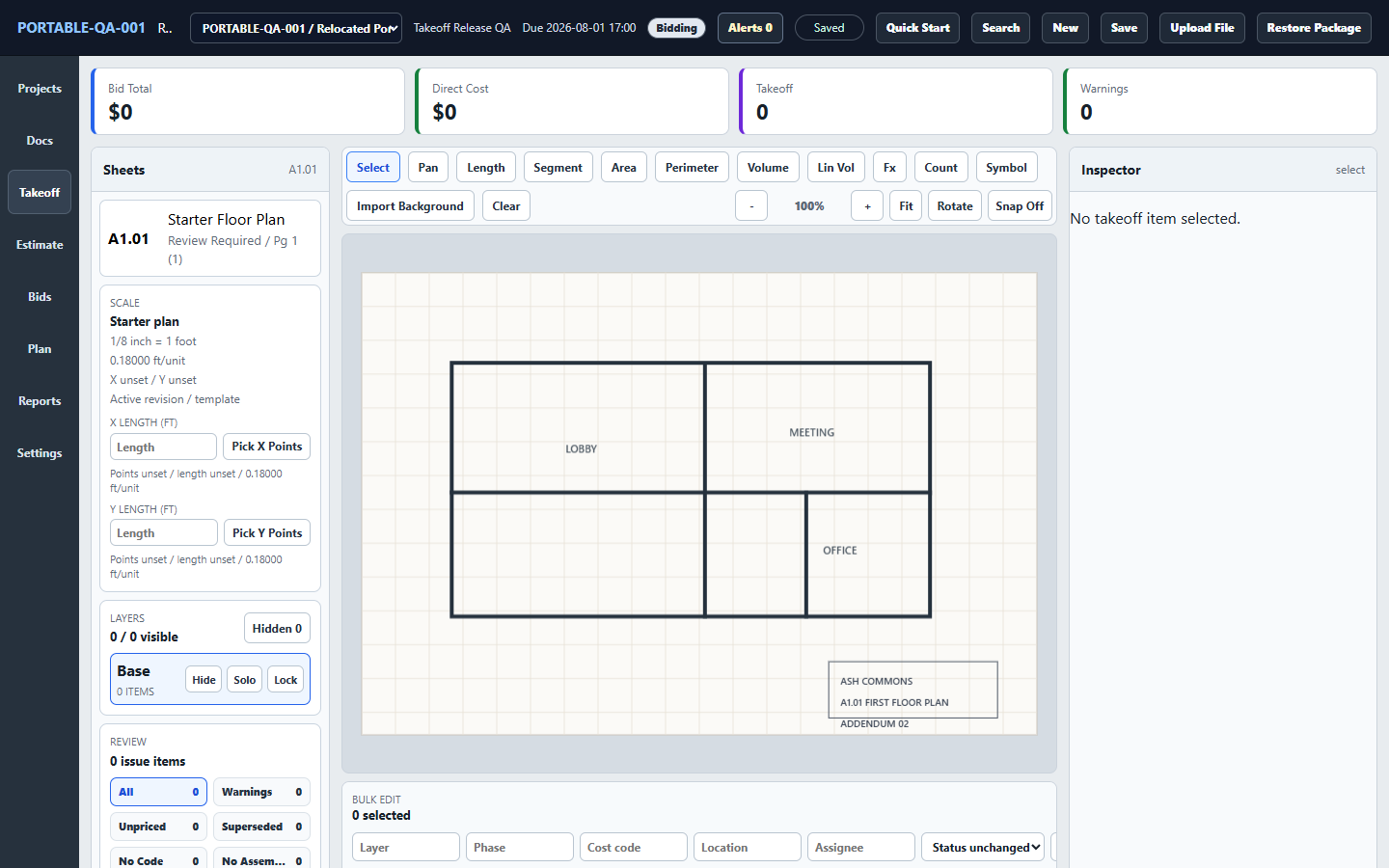
Import a supported PDF or image, calibrate a dependable dimension, and trace reviewable counts, lengths, areas, perimeters, and volumes.
Connect quantities to labor, material, equipment, and subcontract items while keeping formulas, waste, tax, markup, contingency, and qualifications visible.
Save reviewed estimate versions, create proposals, workbooks, reports, and Project Packages, and retain the decisions worth reusing on another job.
Local operation verified
Takeoff can be moved or updated without relocating the project store. Plans and estimates remain on the Windows PC and can be reopened without a background account session or cloud connection.
Internet is still required for purchase, the initial download, future downloads or updates, and online support. Keep current backups of the local project store and test a Project Package restore before relying on a new recovery routine.
Choose the operating model deliberately
Takeoff fits an owner-estimator or small team that primarily estimates on Windows and wants its source plans, quantities, estimate logic, and project records available without a recurring hosted session.
Takeoff fits when
Choose another product when
Offline and Windows software buying questions
Yes. After download and installation on Windows, Takeoff can import supported plans and images, calibrate scale, measure counts, lengths, areas, perimeters, and volumes, build reviewable estimates, save bid versions, and create outputs without an ongoing cloud session.
The core workflow remains available offline after installation: open local projects, import supported local plans or images, calibrate, measure, price, review, save, export, and create a Project Package. External links and services still require their own connection.
Internet is required to purchase and initially download Takeoff, obtain future downloads or updates, and use online support. Takeoff v1 does not require an ongoing account sign-in or cloud session for its core desktop workflow.
Takeoff stores project data locally on the Windows PC. The project store is separate from the application, so moving or updating the application does not automatically move the project files. You remain responsible for device security and backups.
Yes. Create retained backups and export a Project Package when you need a complete, restorable copy with its referenced drawings. Test restoration on a copy before depending on a new backup or transfer routine. Follow the backup and recovery guide.
No. Takeoff uses local project storage and deliberate reports, workbooks, proposals, and Project Packages for communication or handoff. Choose a cloud platform if many people must co-edit one hosted estimate in realtime or need automatic cross-device sync.
No. Takeoff v1 is $79 once for one named user on up to two Windows PCs, includes all v1 updates, and has a 30-day money-back guarantee. There is no recurring seat fee.
Yes. Watch the complete current-interface demonstration, download five free practice-plan sets with answer sheets, and review the installation and backup guide. None requires an account, plan upload, or sales call.