Verify the ZIP
Compare its SHA-256 with the value on this page and in the receipt.
One practical guide from download and installation to a calibrated first plan, a clear estimate, and a recoverable local project.
64-bit Windows · Local project storage · Verified setup EXE
A clean first hour
Keep the receipt and original ZIP. Work through these steps in order, then create a project package before the project becomes business-critical.
Compare its SHA-256 with the value on this page and in the receipt.
Match the ZIP and setup-file checksums, then confirm the expected Windows publisher before opening the installer.
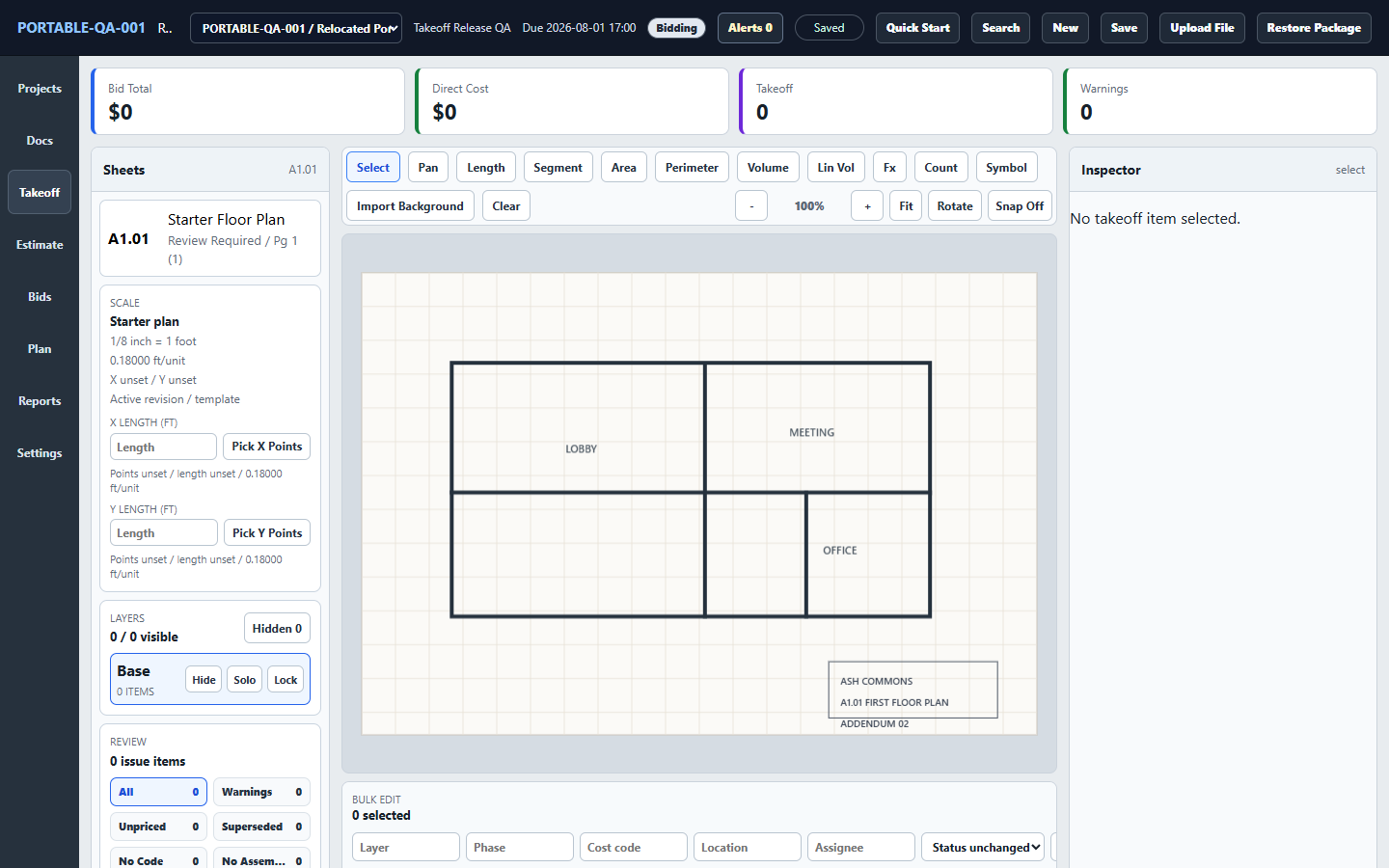
Import a drawing, confirm its known dimension, then measure and price scope.
Back up, verify the new ZIP, and retain the prior installer until the project passes its integrity check.
1 · Package contents
The paid customer ZIP delivered after purchase keeps the tested setup installer, terms, checksums, and signing proof together. The setup executable and application are Authenticode-signed. Verify the receipt ZIP against the published SHA-256, match the extracted installer against CHECKSUMS.sha256, and confirm Windows shows the expected publisher before installation.
Takeoff-Setup-0.1.2.exeRecommended interactive setupCHECKSUMS.sha256Hashes for the files inside the ZIPREADME.txtShort setup instructionsSIGNING.jsonAuthenticode signature and publisher detailsEULA.txtLicense and refund terms350b251c20958edabb1fb150569c7773f70738de3f04f3ab51277f04b042cf3bView current release details, including the version, file size, checksum, signing status, and update policy.
If your receipt lists several releases, choose the current package named above. Existing customers can use their original receipt; there is no need to buy again for this update.
2 · Verify the download
CHECKSUMS.sha256 before running an installer.Get-FileHash .\takeoff-windows-setup-0.1.2.zip -Algorithm SHA256Stop if the hash differs. Delete that copy and download it again from the original receipt. Do not run a package from a forwarded attachment or third-party mirror.
3 · Install Takeoff
If the publisher or signature is unexpected: stop. Recheck both checksums and SIGNING.json, then contact support or your Windows administrator. Do not bypass Windows Security or install until the expected publisher and checksums match.
Takeoff bundles its interface with the Windows application and calls local Rust services directly through Tauri. It does not start a localhost web server or expose a service to your network.
4 · First project
Construction quantities and prices still require professional review. A clean calibration and a visible link back to the drawing are part of the estimate, not optional setup chores.
5 · Back up and transfer
Takeoff stores project data under the current Windows user's application-data folder. Takeoff does not add application-level encryption to those files, so use Windows device encryption or BitLocker and a protected Windows account when plans are sensitive. Keep the folder on a backed-up PC and use Takeoff's own recovery tools as deliberate checkpoints.
Test a restore on a copy of a project before relying on a new backup routine. A diagnostics report can help support, but it cannot restore your project.
6 · Update and roll back
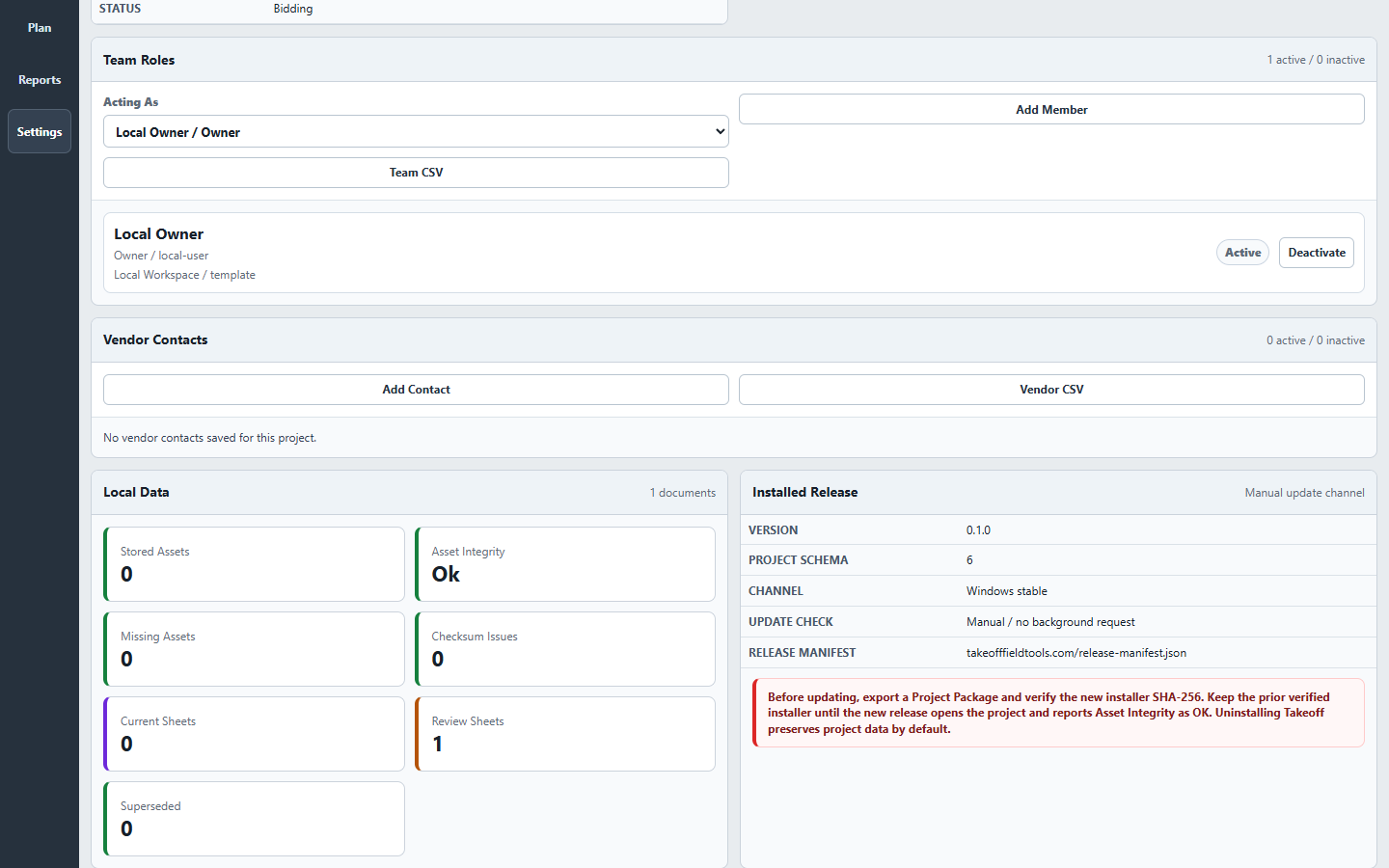
Takeoff checks for updates only when you ask. Settings shows the installed version, project format, stable channel, and current release-details link.
Keep your prior verified installer. Use the current package named above for normal installation. Uninstalling Takeoff preserves project data by default.
Updating after an incomplete PDF import: version 0.1.2 improves large-PDF handling and page detection. Updating does not automatically rebuild an older import. After backing up, reimport the original PDF as a new document, confirm its page count, and calibrate each new sheet separately. Keep the old document and its measurements until you have checked the replacement; measurements are not automatically transferred.
7 · Support safely
Use the Diagnostics action in Settings to collect environment, file-integrity, and backup details without drawings or full project contents. Review every file before sending it. Share a full Project Package only when you deliberately choose to share that project.
Open the private-first support center or email Takeoff support.
Know exactly what is installed
Settings shows the installed version, project format, update channel, and file-integrity status. The screenshot records the original 0.1.0 release check; the current package version is listed below.
Keep your previous verified installer and a Project Package backup until the new release has been installed and checked successfully. An older installer may retain issues corrected in the current release.
How local storage works
Takeoff can be moved or updated without relocating the project store. Your plans and estimates remain on the Windows PC you control and can be reopened without an internet connection.
Keep a current backup of the project store before moving or updating the application.
Learn how local projects work