Start with your installed version and a focused checklist. This page does not upload drawings, estimates, diagnostics, or anything you type about a project.
No account · No project upload · You choose what to send by email
Start here
Protect the project, then isolate the problem.
01
Install or launch
Keep the complete receipt ZIP.
Match its SHA-256 before extraction.
Match the Setup EXE against CHECKSUMS.sha256 and confirm SIGNING.json reports an Authenticode-signed release and Windows shows the expected publisher.
If the signature or publisher is unexpected, stop, record the exact message, and contact support or your Windows administrator; do not bypass security controls.
Safety boundary: construction quantities, prices, specifications, and contract output still require professional review. Support can explain product behavior; it cannot validate field conditions, engineering, legal terms, or the commercial fitness of an estimate.
Your installed version
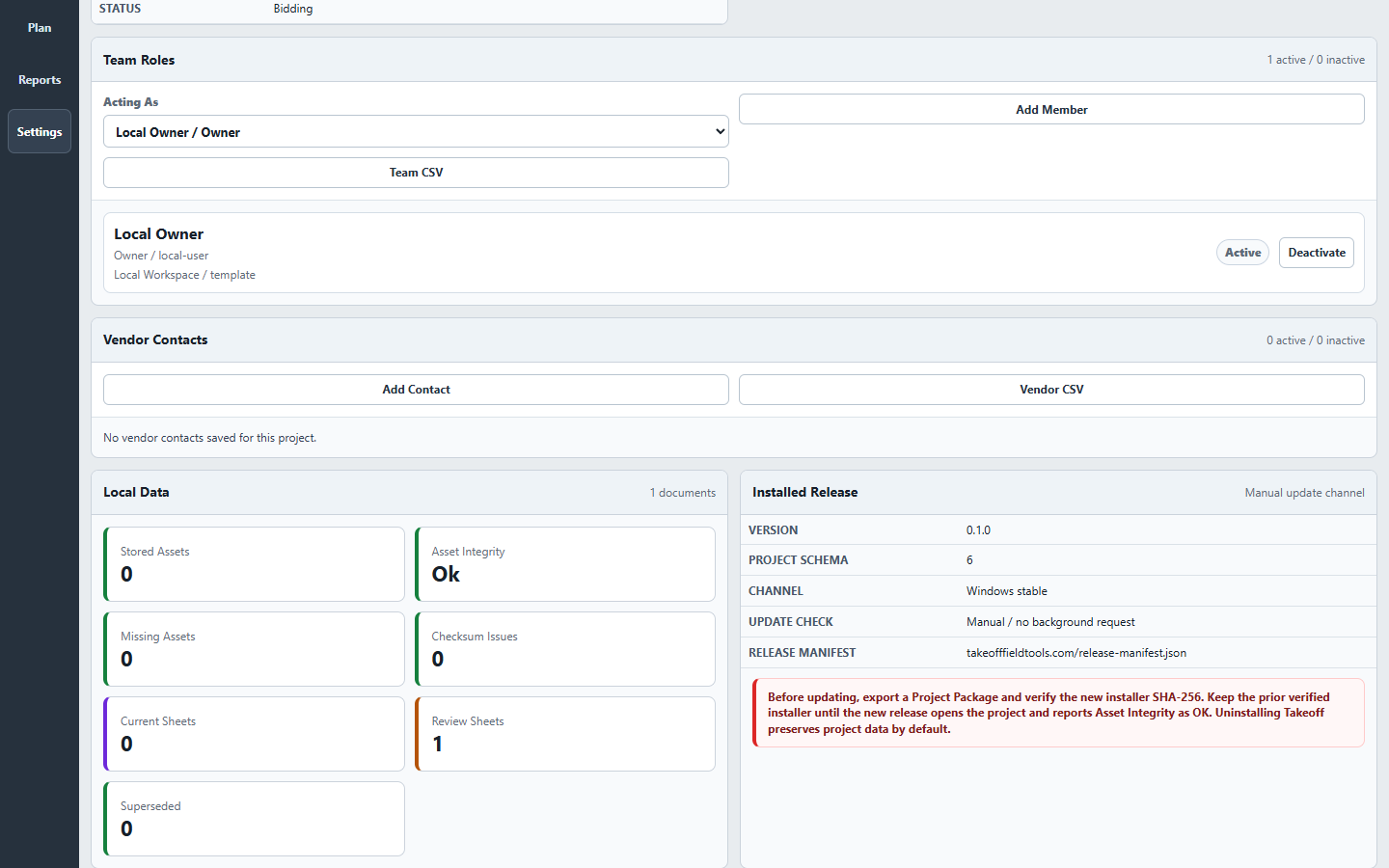
Start with the details shown in Settings.
Settings shows the version, project format, update channel, signing status, and update policy for the copy running on your PC.
Takeoff Settings showing the version and update details support may ask for. No customer project is shown.
Prepare the first message
Give us enough to help without sharing the whole project.
Choose one category to create a short email outline. It stays in this browser until you copy it, and nothing is sent until you open your email and choose to send it.
Review Diagnostics before attaching them.
Do not send passwords, license keys, payment details, or credentials.
Attach a plan or Project Package only when you deliberately choose to share it.
Two-business-day first-response target. Urgent safety, legal, engineering, or field issues require the appropriate qualified professional or emergency channel.
Takeoff v1 · $79 once
See the complete local workflow.
Takeoff v1 license · $79 once · One named user on two Windows PCs.