One named user on two Windows PCs, with all v1 updates included.
Current Takeoff offer PlanSwift alternative · Windows
Choose the workflow you need.
Pay for the scale you have.
Takeoff is a focused PlanSwift alternative for an owner-estimator or small contractor who wants plan measurement, consistent estimating, clear bid outputs, and reusable company knowledge without an annual subscription.
Not a drop-in PlanSwift replacement · One named user · Two Windows PCs · 30-day guarantee
$79 onceNo recurring seat fee
WindowsLocal project storage
Plan to bidQuantities, pricing, and scope
ReusableKeep assemblies and estimating logic
Current public facts
Takeoff and PlanSwift are built for different levels of operation.
PlanSwift is an established Windows takeoff and estimating platform with AI-assisted takeoff, a plugin ecosystem, and training. Takeoff is a smaller local-first product focused on a reviewable plan-to-estimate workflow at a one-time price.
The official checkout displayed this price on July 27, 2026, including support, updates, and two hours of training.
Official checkoutPlanSwift's trial FAQ displayed $1,749 per year while its checkout displayed $2,000. The provider controls the current price.
Official trial FAQBoth products run on Windows. Takeoff stores its project data locally and works offline after installation.
Takeoff offline detailsPlanSwift promotes Takeoff Boost for AI-assisted measurements and offers mature trade plugins and starter packs.
Official PlanSwift product pageKeep the measured source, estimate logic, saved bid, scope, and reusable setup connected in one project.
Watch the Takeoff workflowProvider facts and US prices were checked July 27, 2026. Products, features, prices, discounts, add-ons, and terms can change. Takeoff Field Tools is not affiliated with or endorsed by PlanSwift or ConstructConnect. PlanSwift is a trademark of its owner.
See the product before deciding
One measured source becomes an estimate another person can inspect.
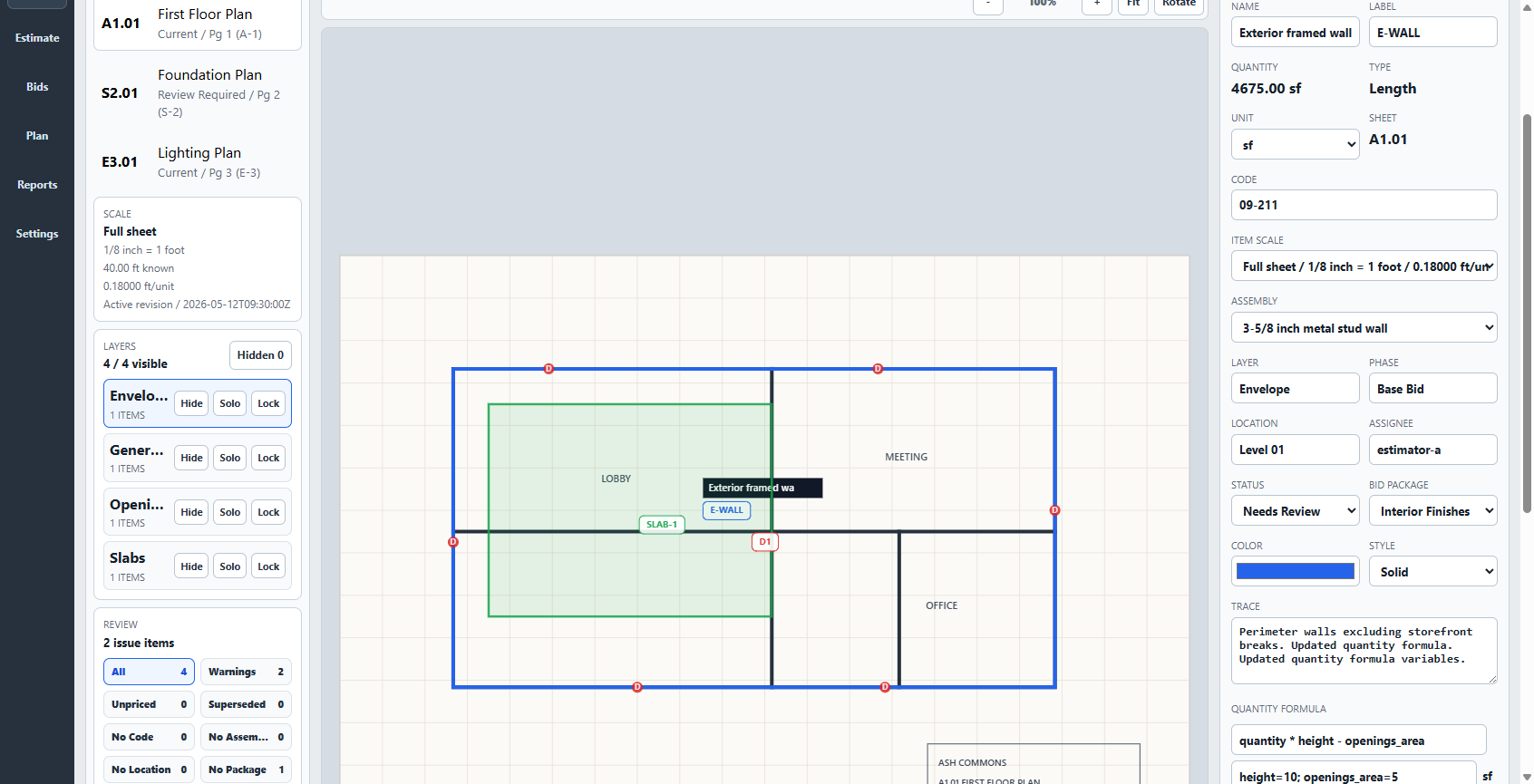
Takeoff keeps calibrated plan geometry, quantity items, pricing, and project controls in the same workstation. The finished estimate can be reviewed, exported, saved as a bid version, and reused as a starting point for similar work.
- Measurements
- Count, length, area
- Pricing
- Items and assemblies
- Reusable setup
- Saved bid versions
- Handoff
- Reports and project packages
Takeoff does not claim PlanSwift feature parity. Test both products with one representative plan, assembly, estimate, and export before switching.
Choose on fit, not a slogan
When each product is the more sensible choice.
A cheaper product is not a better product when it cannot support the work. A larger system is not better when its extra scale is unused.
Takeoff may fit when
You are building a focused estimating system.
- One owner-estimator or small contractor works mainly on Windows.
- You need manual, reviewable plan measurement tied to the estimate.
- You want assemblies, costs, formulas, and scope to improve the next project.
- You prefer local storage, offline core work, and a one-time license.
PlanSwift may fit when
You need deeper automation or an established ecosystem.
- AI-assisted takeoff materially changes your bid volume.
- You need PlanSwift-specific plugins, starter packs, or integrations.
- Included training and a larger support organization matter more than entry price.
- Your existing estimating process is already built around PlanSwift.
A useful side-by-side test
Use the same small bid in both products.
Do not compare screenshots alone. Use the same representative plan and record what survives from measurement through customer handoff.
- Import the same PDF and verify scale against a labeled dimension.
- Measure one count, one length, and one area.
- Apply a real assembly with waste, labor, and current supplier costs.
- Review the estimate, exclusions, assumptions, and markup.
- Export the bid, reopen the project, and start a similar scope from what you saved.